
When you’re designing a custom part, one of the first manufacturing questions is simple: Should this be milled or turned?
Both are CNC machining processes, both can hit tight tolerances, and both can produce production-grade parts. But they remove material in very different ways—and that directly affects geometry, cost, lead time, surface finish, and risk.
This guide breaks down CNC milling vs CNC turning in practical terms, with selection rules, design tips, and real-world examples you can apply to your next quote.
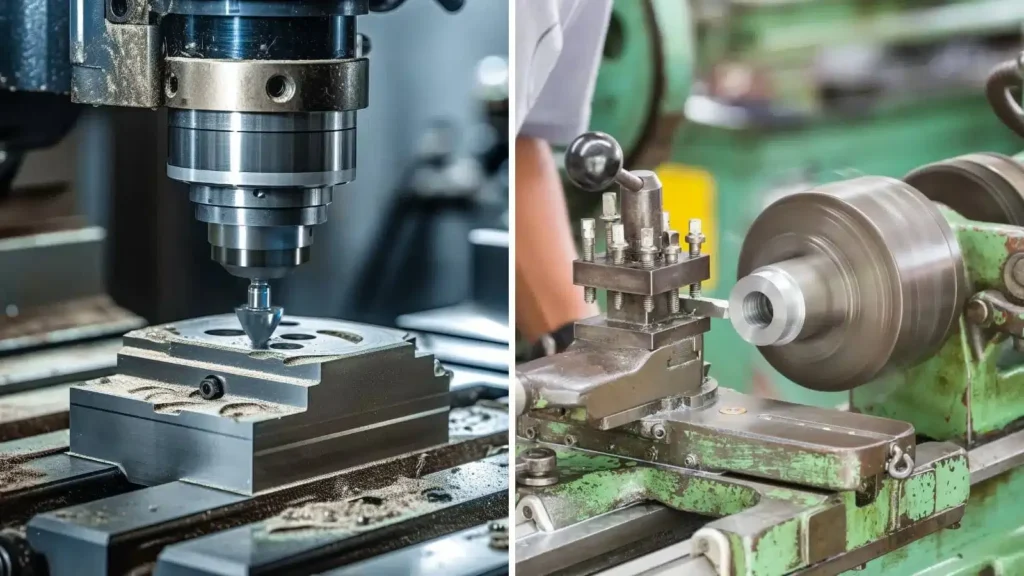
Quick takeaway:
- Choose CNC turning for parts that are mostly round/symmetrical (shafts, bushings, sleeves, threaded cylinders).
- Choose CNC milling for parts that are mostly prismatic (blocks, pockets, slots, complex faces).
- Choose mill-turn (turning + milling) when you need both round features and milled flats/holes/slots in one setup.
What is CNC Milling?
CNC milling uses a rotating cutting tool to remove material from a stationary (or repositioned) workpiece. The cutter moves along multiple axes (typically X/Y/Z, and sometimes A/B/C for 4-axis or 5-axis) to create:
- Pockets and cavities
- Slots and keyways
- Complex contours and 3D surfaces
- Hole patterns and precision faces
- Non-rotational geometries (most “block-like” parts)
Common milling machines
- 3-axis VMC (Vertical Machining Center)
- 4-axis milling (adds rotary axis for multi-side machining)
- 5-axis milling (complex surfaces, fewer setups, better access)
What is CNC Turning?
CNC turning uses a rotating workpiece while a stationary cutting tool removes material. Think of it as high-precision “computer-controlled lathe machining.” Turning excels at producing:
- Cylinders and tapers
- Grooves, undercuts, and O-ring grooves
- Threads (internal/external)
- Bores and concentric features
- Shafts, pins, bushings, spacers
Common turning machines
- CNC lathe / turning center
- Swiss-type lathe (ideal for small, long, high-precision parts)
- Turning center with live tooling (can drill/mill features on the turned part)
CNC Milling vs CNC Turning: The Core Difference
The simplest way to remember it:
- Milling: the tool rotates, the part is held and repositioned
- Turning: the part rotates, the tool cuts from the outside/inside
That one difference changes almost everything about how quickly the process runs, how parts are held, and which shapes are “natural” or “expensive.”
Comparison Table: Milling vs Turning (At a Glance)
| Topic | CNC Milling | CNC Turning |
|---|---|---|
| Best geometry | Prismatic, complex faces, pockets | Rotationally symmetric parts |
| Primary motion | Tool rotates and moves | Workpiece rotates |
| Typical parts | Housings, brackets, plates, manifolds | Shafts, bushings, sleeves, threaded parts |
| Setup | Often multiple sides/setups | Often fast, stable, repeatable |
| Cost drivers | Tool reach, setups, cycle time | Slenderness, tight concentricity, special grooves |
| Strengths | 3D surfaces, multi-face features | Excellent concentricity & roundness |
| Common upgrades | 4/5-axis for fewer setups | Live tooling / mill-turn for cross-holes & flats |
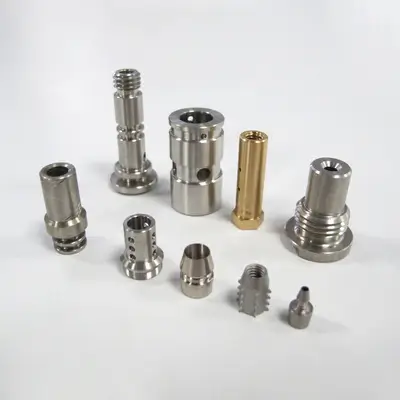
What Parts Are Best for CNC Turning?
CNC Turning is usually the best option when most features align with a center axis:
- Shafts: motor shafts, drive shafts, pins
- Bushings & sleeves: spacers, bearing seats
- Threaded components: fittings, caps, couplers
- Precision bores: tight internal diameters and concentricity
- Seal features: O-ring grooves, undercuts, seating surfaces
Why it’s often cheaper:
Turning can remove material very efficiently, and many cylindrical features are produced in one continuous operation.
What Parts Are Best for CNC Milling?
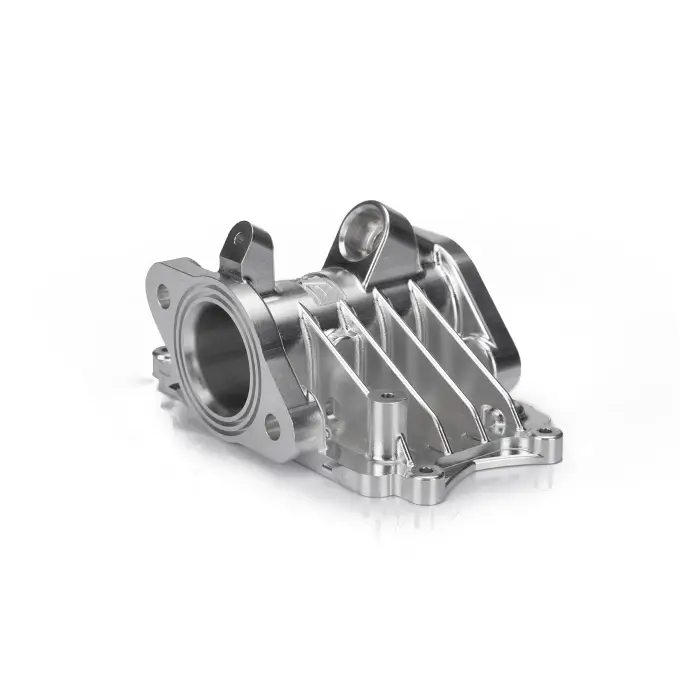
CNC Milling wins when your features aren’t naturally round:
- Enclosures/housings: electronics, robotics, medical instruments
- Brackets & mounts: structural components with faces and holes
- Plates: panels, adapters, heat sinks
- Manifolds: fluid channels, pockets, complex drilling
- 3D surfaces: impellers, organic contours, sculpted forms (especially 5-axis)
Why it’s often chosen:
Milling can access features on different faces and create sharp geometry changes that turning simply cannot.
Accuracy & Tolerances: Which One Is “More Precise”?
Both milling and turning can achieve very tight tolerances when the design and process are right. Practically:
- Turning often delivers excellent concentricity, roundness, and surface finish on diameters because the part rotates around a controlled axis.
- Milling excels at holding flatness, perpendicularity, and feature-to-feature positioning across multiple faces.
Reality check (important):
Tighter tolerances increase cost in either process. The cheapest tolerance is always: only specify tight tolerances on critical features (CTQs).
KaiSpeed tip: If you need ultra-tight tolerances on selected features, call them out clearly and keep non-critical features to general tolerances. This is one of the fastest ways to reduce cost without reducing performance.
Surface Finish: Milling vs Turning
- Turned surfaces (OD/ID) can come out very smooth, especially with the right inserts and parameters—often ideal for sealing, bearing seats, and cosmetic cylinders.
- Milled surfaces may show tool paths on faces and 3D contours. With proper strategies (finish passes, small stepovers), milling can also achieve excellent cosmetic results.
If appearance matters, plan for:
- Bead blasting before anodizing (for aluminum)
- Brushing/polishing directions (for stainless)
- Controlled toolpath and consistent finishing passes
Cost & Lead Time: What Usually Costs More?
Here’s what commonly drives cost:
CNC Turning cost drivers
- Slender parts that deflect (long, thin shafts)
- Tight runout or concentricity requirements
- Deep grooves/undercuts that require special tooling
- Secondary ops (milled flats, cross holes, engraving)
CNC Milling cost drivers
- Multiple setups/sides (especially if not designed for easy fixturing)
- Deep pockets (tool reach, chatter, long cycle time)
- Tight tolerances across multiple faces
- 3D surfacing (lots of finishing time)
- Small internal corners (forces small tools → slower machining)
Rule of thumb:
- If your part is “mostly round,” turning is usually faster and cheaper.
- If your part is “mostly block-like,” milling is usually the baseline.
- If it’s both, consider mill-turn or a turning center with live tooling to reduce setups.
When You Need Both: Mill-Turn (Turning + Milling in One)
Many modern parts are hybrids, for example:
- A cylindrical body with milled flats, keyways, or cross holes
- A threaded part with spanner wrench slots
- A shaft with milled drive features and drilled radial ports
In those cases, combining operations can:
- Reduce handling and setup time
- Improve positional accuracy between turned and milled features
- Shorten overall lead time
If you’re not sure whether your part is a hybrid, a good indicator is:
Does it need both a lathe-like OD/ID and milling-like flats/pockets? If yes, it’s a candidate.
Design Tips: Make Milling Easier (and Cheaper)
- Use generous internal radii
Sharp inside corners require tiny cutters → slower, more expensive. - Avoid deep narrow pockets
Deep pockets mean long tools → vibration, slower feeds. - Minimize the number of setups
Design parts so features can be machined from fewer faces. - Tolerance only what matters
Tight tolerances everywhere can multiply inspection and scrap risk. - Choose machinable wall thicknesses
Very thin walls can warp or chatter—especially in aluminum.
Design Tips: Make Turning Easier (and Cheaper)
- Keep length-to-diameter ratio reasonable
Long slender parts may need supports or different processes. - Use standard thread forms and sizes
Special threads may require custom tools or longer cycle time. - Avoid extreme undercuts unless necessary
Undercuts often require special grooving tools. - Define datums clearly for concentric features
If concentricity matters, specify what it references. - Plan for part holding
Consider where the chuck/collet grips—avoid critical surfaces there.
Common Decision Scenarios
Scenario A: “It’s a round spacer with a bore”
Best choice: CNC turning
Why: OD/ID and faces are all naturally turned—fast and accurate.
Scenario B: “It’s a bracket with pockets and multiple faces”
Best choice: CNC milling (3-axis or 4/5-axis depending on geometry)
Why: You need faces, pockets, and multi-side features.
Scenario C: “It’s a threaded cylinder with a milled wrench flat”
Best choice: Turning + milling (live tooling or mill-turn)
Why: Turning makes the body; milling adds flats/slots without extra setups.
CNC Milling vs Turning: Which One Should You Choose?
Use this quick checklist:
Choose CNC Turning if:
- The part is mostly cylindrical or conical
- Concentricity and roundness are critical
- You want efficient material removal on round stock
- Threads, grooves, and bores dominate the design
Choose CNC Milling if:
- The part is block-like or has multiple flat faces
- You need pockets, slots, complex contours, or 3D surfaces
- Hole patterns across faces matter more than roundness
- Multi-side machining is required (4/5-axis helps)
Choose Mill-Turn / Hybrid if:
- The part needs both turned diameters and milled features
- You want fewer setups to improve accuracy and shorten lead time
FAQ
Is CNC turning cheaper than CNC milling?
Often yes for round parts, because turning can machine diameters and bores quickly in fewer setups. But complex grooves, tight runout, or added milled features can change that.
Can CNC milling make round parts?
Yes. Milling can create circular shapes and bores, but it’s usually less efficient than turning for true cylindrical parts—especially when concentricity is critical.
What is the main difference between milling and turning?
In milling, the tool rotates. In turning, the workpiece rotates. That difference makes turning ideal for round parts and milling ideal for prismatic parts.
When should I use a mill-turn machine?
When a part combines turning features (OD/ID, threads) with milling features (flats, slots, cross holes) and you want better accuracy with fewer setups.
If you’re choosing between milling and turning—or you suspect your part is a hybrid—send us your CAD and key requirements (material, quantity, finish, CTQs). Our engineers can recommend the most cost-effective process and provide DFM feedback before production.